Academics
Digital report card & exam management
Schedule exams, enter grades once, and generate polished digital report cards in minutes. Performance trends help teachers act before a term is lost.
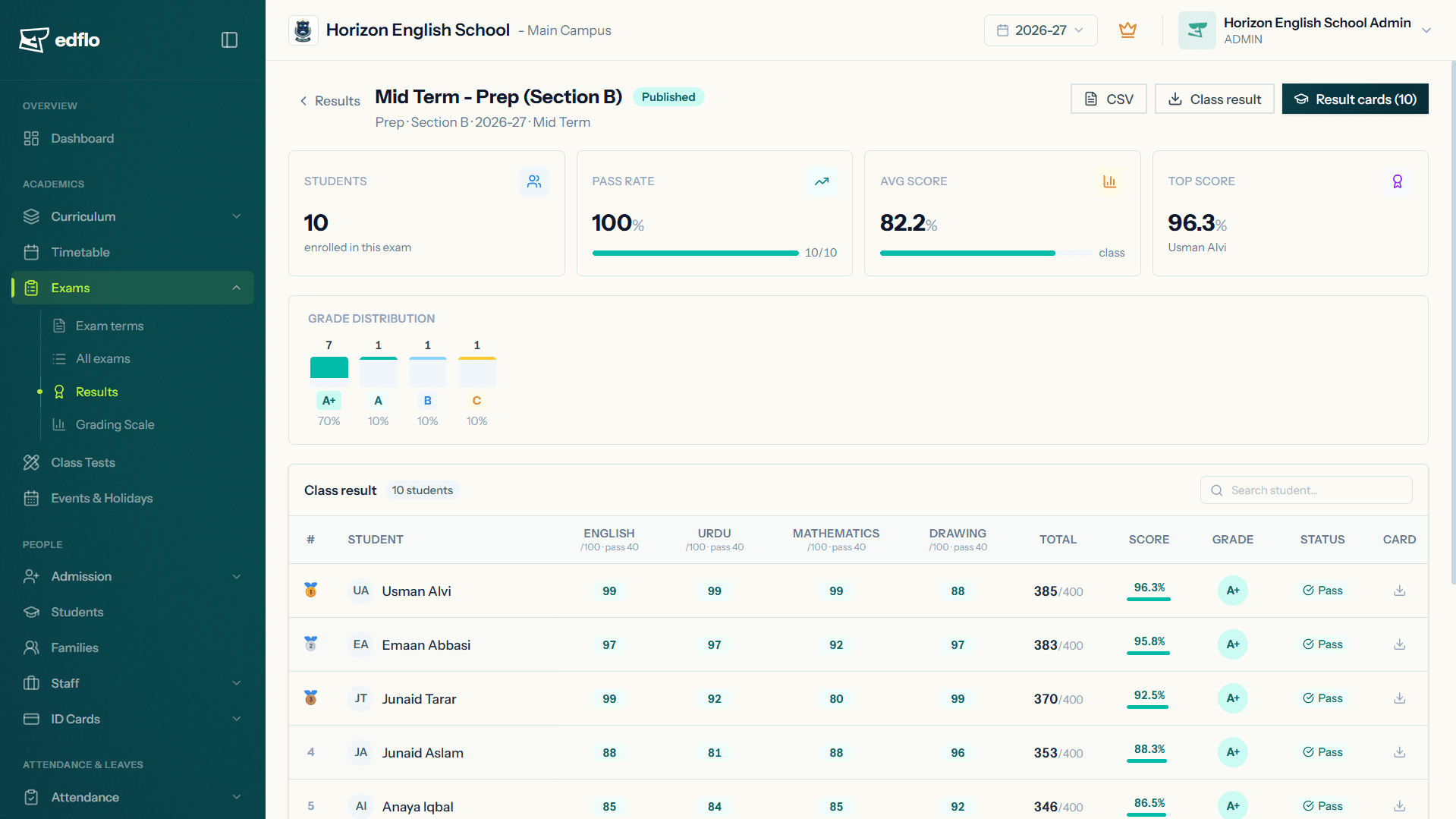
Edflo turns exam season from a paperwork marathon into a few clicks. Schedule assessments, record marks, and generate professional report cards automatically. Performance analytics show teachers exactly where each student needs support.
Exam season shouldn't mean chaos
Compiling marks by hand, formatting report cards and double-checking totals costs days of teacher time every term. It still leaves room for errors, and tells you almost nothing about real progress.
- ×Report cards formatted and totalled by hand each term
- ×Marks scattered across registers and spreadsheets
- ×Calculation errors that are hard to catch
- ×No clear view of how a student is progressing over time
How Edflo helps
Exam scheduling & grade management
Plan your exam calendar, define grading schemes, and let teachers enter marks once. Edflo handles totals, grades and rankings from there.
- Flexible exam scheduling and grading schemes
- Enter marks once, no manual totalling
- Subject-wise and term-wise grade management
Report cards in minutes
Generate clean, professional report cards for a whole class at once, ready to share through the parent app. No formatting, no queue at the printer.
- One-click digital report card generation
- Consistent, professional formatting every time
- Shared instantly with parents in the app
Performance trends teachers can act on
Track each student's progress across subjects and terms, so teachers and parents can see strengths, spot slipping grades early, and intervene in time.
- Performance trend analytics per student
- Subject-wise progress tracking
- Early signals for students who need support
Result cards matched to your board
A report card is only useful if it looks like the one your board expects. Edflo generates result cards in the formats Pakistani schools actually need. If yours is bespoke, we build your template into the system during onboarding.
- Federal Board (FBISE)
- Punjab boards (BISE Lahore, Rawalpindi and other Punjab BISEs)
- Sindh boards (BSEK and other Sindh BISEs)
- Cambridge (O Level / IGCSE style grading)
- Custom school-designed report card templates
What academics teams gain
Frequently asked questions
Can Edflo generate report cards automatically?
Yes. Once teachers enter marks, Edflo generates professional digital report cards for the whole class in one click, ready to share with parents through the app.
Does Edflo support custom grading schemes?
Yes. You can define your own grading boundaries, exam types and weightings, and Edflo calculates totals, grades and rankings automatically.
Can parents see results in the app?
Yes. Results and report cards are published to the parent app instantly, so families can view grades and progress without waiting for printed copies.
Can teachers track student progress over time?
Yes. Edflo provides performance trend analytics by subject and term, helping teachers identify strengths and intervene early where a student is slipping.
Does Edflo support Federal Board, Punjab board or Cambridge result cards?
Yes. Edflo generates result cards for Federal Board (FBISE); Punjab boards (BISE Lahore, Rawalpindi and other Punjab BISEs); Sindh boards (BSEK and other Sindh BISEs); Cambridge (O Level / IGCSE style grading); Custom school-designed report card templates. If your school uses its own layout, we build that template in during onboarding. When you're comparing vendors, ask each one to generate a result card from your template using your data during the demo. That is the only way to verify the claim.
Get the Edflo app
Admin, teacher and parent apps, on iOS and Android.
See Edflo in action at your school
Start a 15-day free trial, no credit card required. Or book a quick demo and we'll show you around.