Forms
Every form your school sends, answered in one link
Admission enquiries, feedback surveys, consent slips and job applications. Build it in Edflo, share one link on forms.edflo.io, and read the answers beside the students they belong to.
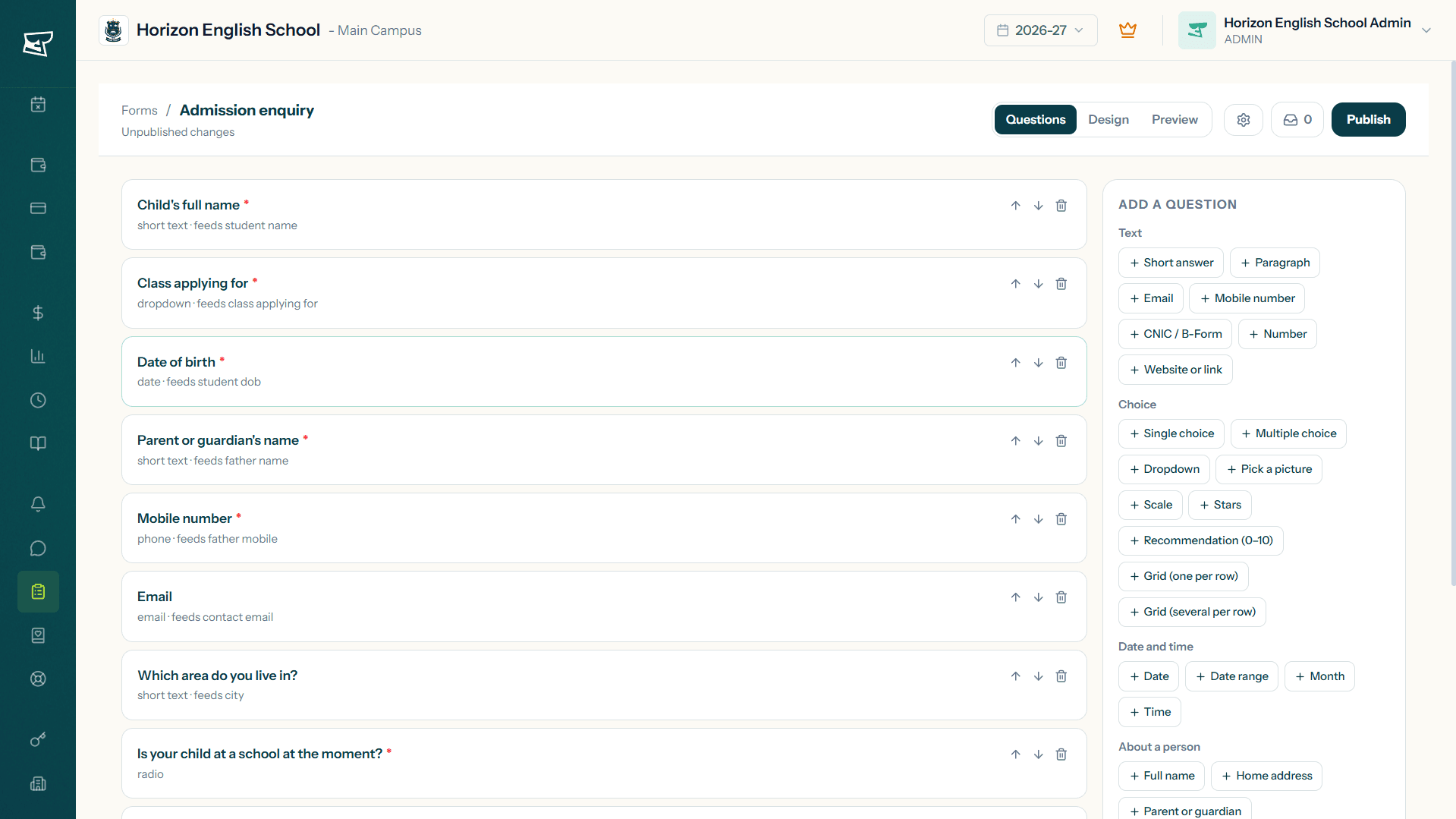
A school form is rarely just a form. The admission enquiry decides who enrols, the consent slip has to be kept, and the feedback survey is worth nothing if nobody reads it. Edflo's builder gives you 27 question types and 8 templates to start from, in your school's own colours, and then puts every answer where the rest of your school already works.
Why a general-purpose form falls short at school
Most schools reach for whatever free form tool is nearest. It collects the answers perfectly well, and then it stops. The spreadsheet does not know your class list, cannot tell you that the same parent applied twice, and has never heard of a B-Form. Everything after the submit is somebody typing.
- ×Class and section lists retyped by hand every session
- ×The same parent enquiring twice, counted as two families
- ×Answers sitting in a spreadsheet nobody has opened since March
- ×Consent slips still printed, because the form cannot take a signature
How Edflo helps
Templates, so nobody starts from a blank page
Pick admission enquiry, parent feedback survey or staff job application and it arrives already written, already validated and ready to share. Change a question or two and publish it.
- Admission enquiry · Admission application (full) · Parent feedback survey · Event registration
- Transport request · Consent / permission slip · Complaint / suggestion box · Staff job application
- Or start from nothing and build exactly what you need
The question types a school actually needs
Short answers and dropdowns are the easy part. A school also needs a CNIC that validates, a B-Form in the shape the student record expects, a parent block that asks for all four details at once, a document upload for the birth certificate, and a signature on the permission slip.
- CNIC and B-Form fields that check themselves
- File uploads for documents, and a real signature pad
- Grids, scales, stars and a recommendation score for surveys
- Conditional questions, so nobody is asked about a bus they do not take
It looks like your school, on any phone
Ten starting themes, then your own colours, fonts, cover image and dark mode. Choose whether the form arrives as one page, a page at a time, or one question at a time, which is the layout that holds a parent's attention on a phone.
- Your palette, your cover image, your school's logo
- One page, page by page, or one question at a time
- Embed it in your own school website with one copy-paste snippet
- Or share the link, with a QR code for a printed banner
What changes once the form lives in Edflo
Frequently asked questions
How do parents open the form? Do they need an account?
No account, no app and no password. You share one link on forms.edflo.io, and anyone who has it can fill the form in on a phone, a laptop, or a borrowed computer. That is rather the point: the people answering an admission form are not your users yet.
Can we put the form on our own school website?
Yes. Every form gives you a copy-paste snippet to drop into your school's own site, and the form resizes itself to fit the page rather than sitting in a scrolling box. You can also just share the link, or print its QR code on a banner.
Can we ask parents to upload documents?
Yes. A file question takes photographs and documents, so a parent can send the B-Form, a birth certificate, a passport photo or a previous report card straight from their phone. You choose what each question accepts, how many files, and how large.
What kinds of forms do schools build in Edflo?
Admission enquiries and full admission applications are the common ones, and the same builder covers parent feedback survey, event registration, transport request, consent / permission slip, complaint / suggestion box, staff job application. Anything you would otherwise print and hand out.
Can a form collect a fee or a payment?
Not yet. A form collects information; payments are handled by Edflo's fee module once the student is enrolled. If you need an admission fee paid at the point of application, say so during the demo, so we know how many schools are asking for it.
What happens to the answers after somebody submits?
They arrive in Edflo immediately. You can be emailed on every submission or sent one summary a day, read each response in full, search and filter them, export the lot to CSV or Excel, and, for an admission enquiry, turn it into an enrolled student with the admission form already filled in.
Are forms available in Urdu?
Not at the moment. Forms are built and answered in English. Edflo supports Urdu elsewhere in the product, and bilingual forms are planned rather than available, so we would rather you knew that before choosing us for it.
Get the Edflo app
Admin, teacher and parent apps, on iOS and Android.
See Edflo in action at your school
Start a 15-day free trial, no credit card required. Or book a quick demo and we'll show you around.