Communication
Parent communication app & WhatsApp alerts
Send announcements, attendance and fee alerts straight to parents through a dedicated app, WhatsApp and SMS. These are the channels families actually check.
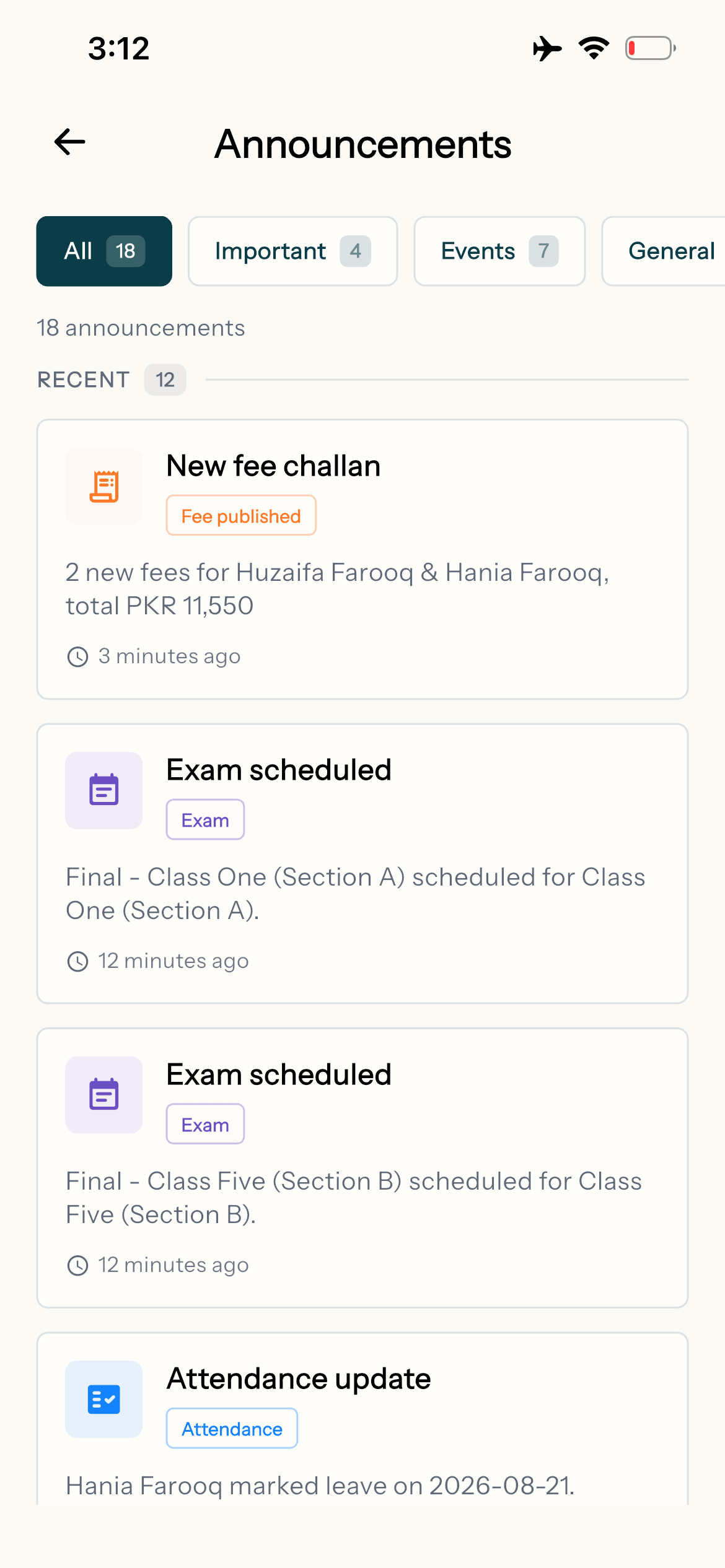
Edflo closes the gap between school and home. Announcements, automated alerts and two-way messaging reach every family across a dedicated parent app, WhatsApp and SMS. Nothing important gets buried in a noisy class group.
Parent communication is too easy to get wrong
Informal WhatsApp groups are chaotic, paper circulars get lost in school bags, and important fee or attendance updates never reach the parents who need them most.
- ×Important messages buried in noisy class groups
- ×Circulars that never make it home
- ×No record of what was sent or who saw it
- ×Parents feeling disconnected from school life
How Edflo helps
Announcements that reach everyone
Send school-wide or class-specific announcements that land in every parent's app, with WhatsApp and SMS as backup so the message gets through.
- School-wide and targeted class announcements
- Delivered to the parent app, WhatsApp and SMS
- A clear record of every message sent
Automated alerts for what matters
Attendance, fee reminders, results and events all trigger notifications on their own. Parents stay informed without your staff sending a single message.
- Automatic absent, fee and result alerts
- Event and meeting notifications
- No manual effort once it's set up
Notes and worksheets, to exactly the families they're for
Instead of sending worksheets home on paper or around class WhatsApp groups, add them once to the school's resource library: typed notes, PDFs, photos of pages, Word, Excel and PowerPoint files, and links to videos. Choose who each one is for, and those parents are notified and can open it in the app whenever they need it.
- Share with the whole school, chosen classes or single sections, mixed freely
- Up to 10 files of 25 MB and 10 links per resource
- Filed as notes, worksheet, syllabus, past paper, book or other, with a subject
- One notification to parents and teachers, sent once
- Add resources from the admin panel or from your phone
Two-way parent-teacher messaging
Parents and teachers get a calm, organised channel to talk in, kept separate from personal numbers and noisy groups. Questions get answered and boundaries stay healthy.
- Structured parent-teacher messaging
- Keeps staff personal numbers private
- Conversations tied to the right student
What stronger communication delivers
Frequently asked questions
Does Edflo send alerts over WhatsApp and SMS?
Yes. Announcements and automated alerts for attendance, fees, results and events all go out through the parent app, WhatsApp and SMS, so messages reach families on the channels they use.
Is there a dedicated parent app?
Yes. Parents download the free Edflo parent app for iOS and Android to view attendance, results, fees and announcements, and to message teachers.
Can teachers message parents without sharing personal numbers?
Yes. Edflo provides structured parent-teacher messaging inside the platform, so staff can communicate without exposing their personal phone numbers.
Can we send announcements to specific classes only?
Yes. Announcements can be school-wide or targeted to specific classes or sections, and you keep a clear record of everything that was sent.
Can we share notes and worksheets with one section only?
Yes. Each resource is shared with the whole school, with chosen classes, or with single sections, and you can mix them: all of Class Five and only Section A of Class Six, for example. A parent sees only what was shared with their child's school, class or section, and a parent with two children sees each child's resources.
Can teachers upload resources?
Not at the moment. Admins add, edit and delete resources, from the admin panel or the Edflo app. Teachers can open every published resource in the school, and filter by class, subject and category. Resources is a library for study material, not a system for setting and marking assignments.
Get the Edflo app
Admin, teacher and parent apps, on iOS and Android.
Explore more of Edflo
Instant absent alerts to parents.
Automated fee reminders.
Share results the moment they're ready.
Tell each family about their own child.
How to get parents actually using a school app.
Where WhatsApp groups help, and where they fail.
See Edflo in action at your school
Start a 15-day free trial, no credit card required. Or book a quick demo and we'll show you around.